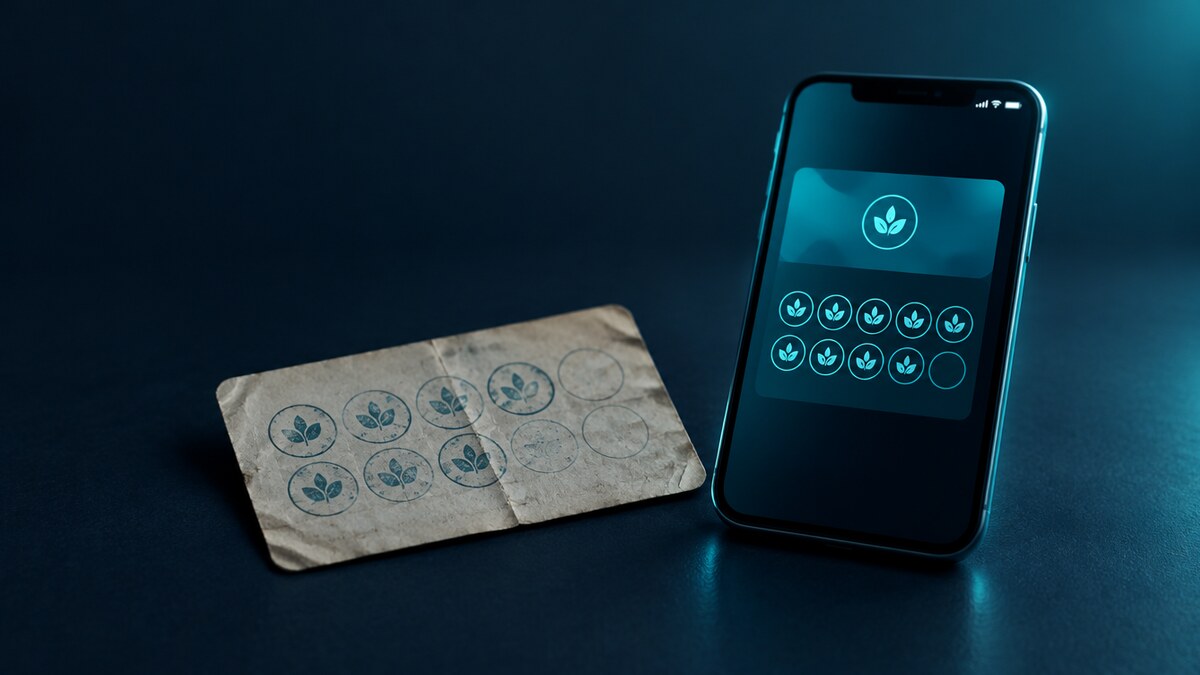
Somewhere behind your counter is a box of paper stamp cards. Hundreds printed, dozens half-stamped in customers' wallets, a few laminated survivors on their third year. You already know the problems — cards get lost, stamps get forged, and you have no idea who your regulars actually are. What stops most owners isn't doubt about going digital. It's one fear: "If I switch to digital loyalty cards, what happens to the customer who's eight stamps into her card? Does she lose them and walk?" She doesn't have to lose anything. Here's the switch, step by step, the way cafés, salons and laundries across the UAE have actually done it.
Why the Switch Pays for Itself
A paper card does one job: it counts visits. It does nothing else — it can't tell you who the customer is, can't remind her she's one stamp away, and can't stop the office card that gets shared around eight colleagues. A digital stamp card in Apple Wallet and Google Wallet does the counting plus everything paper can't: every stamp is logged by date, time and branch, the card sits next to the customer's bank cards instead of in a drawer at home, and you get a free lock-screen push channel to the exact people who already buy from you. No app for anyone to download — one scan of a QR code and the card is on their phone in about twenty seconds. And the quiet leak that paper hides, the self-stamped and photocopied rewards we broke down in our piece on loyalty card fraud, closes on day one, because only your staff can stamp.
Step 1: Honor Every Existing Stamp
This is the rule the whole migration hangs on: nobody loses a stamp. When a customer shows a paper card at the till, staff scan the QR to issue her the digital card, look at the paper card, and load the same number of stamps onto the new one — it takes fifteen seconds. Eight paper stamps become eight digital stamps, then the paper card goes in the bin behind the counter, not in her bag. Don't audit it, don't squint at the ink deciding whether stamp five looks forged. You will inherit a few generous cards. It doesn't matter: the goodwill of "of course your stamps carry over" is worth more than the two free coffees you might overpay, and it's the last unverified stamp you'll ever give.
Step 2: Run Both for 30 Days — With One Script
Don't announce a cutoff date on day one; just make digital the default. New customers only get the digital card. Existing customers get one line at the till: "We've moved our stamp cards to your phone — scan this and I'll transfer your stamps right now." That's the entire script. The QR stand by the till does most of the recruiting on its own, because the customer is standing there with her phone out to pay anyway. A regular visits every week or two, so 30 days of this converts almost everyone who matters without a single argument.
Step 3: Retire the Paper, Keep the Promise
After the transition month, stop stamping paper — but never stop converting it. The customer who reappears in March with a dusty half-stamped card from last year isn't a problem, she's the win: transfer her stamps, hand her lock screen to your push channel, and she leaves feeling looked after. Put a small sign where the card dispenser used to be: "Your stamps live on your phone now — ask us to move yours over."
What You Gain the Week You Switch
The counting was never the point — the list is. Within a week of switching you can see things paper physically cannot show: how many active members you have, who's one stamp away from a reward, and who hasn't visited in three weeks. Each of those is one free push notification away from a visit — "your free wash is waiting" from a salon, "double stamps this Tuesday" from a restaurant filling a quiet night. Businesses typically pay 10–30 fils per SMS to reach their own customers; wallet pushes are free and unlimited, and they land on the lock screen, not in a promotions folder. One campaign to lapsed members usually produces more measurable revenue than the paper program did in a quarter — because for the first time, you can measure it.
The Mistakes That Sink Migrations
Three things, all avoidable. Making customers download an app — they won't; that's why it's a wallet pass, not an app. Starting everyone from zero "to keep it clean" — that converts your best regulars into your loudest critics for the sake of tidy books. And treating the switch as an IT project — it's a till habit. Train the one line from Step 2, put the QR where the card machine points, and the till does the rest. There's nothing to install and no hardware to buy: the same phone or scanner you already use reads the passes.
Make the Switch This Week
The box of paper cards behind your counter is costing you the one thing it was meant to build: knowing your regulars. With Wally, you can design your digital stamp card in the morning, print one QR stand, and transfer your first paper card before the lunch rush — stamps intact, customer smiling, and a push channel growing with every scan. Book a short demo and we'll map your exact card — stamps, reward, and all — onto Apple Wallet and Google Wallet before the week is out.